Last Updated: 05-16-2026
Vehicle: 2013 Mitsubishi Lancer ES

Crankshaft Position Sensor Replacement

Introduction:

One of the key sub-systems of a vehicle is the ignition system, it is controlled and evaluated by the E.C.M.(Engine Control Module). There are five major constituents playing an active role causing the combustion cycle and all factors must be executed simultaneously. The five factors are fuel, air, spark, pressure and timing. If any of these constituents are malfunctioning, it will transmute into the vehicle malfunctioning. In this tutorial, the focus will be on another component in the ignition subsystem; the Crankshaft Position Sensor, it is an easy replacement. It’s role is actively feed real time data to the Engine Control Module(ECM) to ensure accuracy of creating and sustaining the cyclical combustion.

Purpose and Functionality:

The relevancy of the crankshaft position sensor(CKP) is to actively monitor and send live data to E.C.M. The E.C.M. is the centralized computer to oversee the operation and functionality of the ignition system. The E.C.M. is responsible for orchestrating lines of communication to individual components. The crankshaft positioning sensor measures the current position of the crankshaft which actively dictates on the current positioning of the pistons. For normal operation, the positioning and timing of the crankshaft is an imperative element in maintaining synchronization across the entirety of the system. When the Crankshaft is in the correct position or the timing is correct; a signal is sent to the E.C.M. In turn, the E.C.M. will send a signal ignition coil which will create strong enough current to create a spark from the spark plug when it is time appropriate.
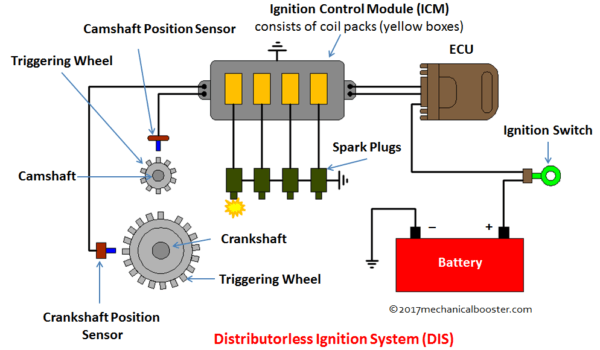
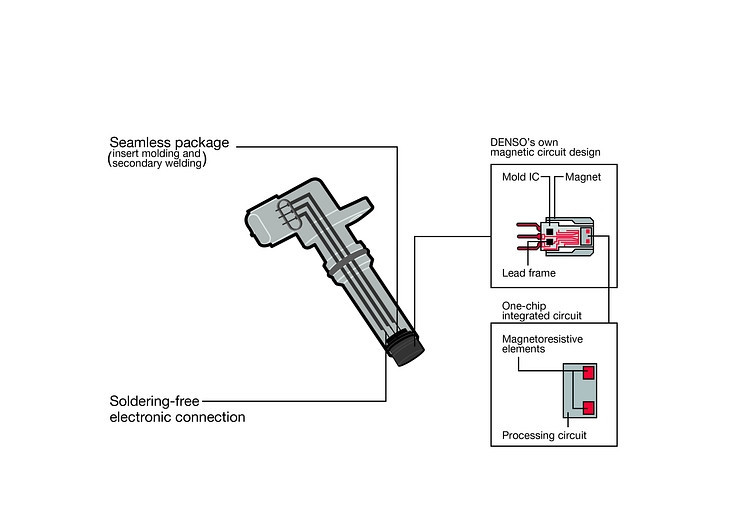
The inner operations of the crankshaft position sensor has an air gap separating the sensor from the gear. The inner mechanics of the crankshaft position sensor has a magnet or solenoid wire, it is strong enough to generate a voltage from the gear teeth which is measured from the processing chip. The processing chip measures the data with like a manual light switch. The data is transferred to the E.C.M. through the signal wire. In the 2013 Mitsubishi Lancer ES, there are three pins one is the positive, signal and the other is the ground. The signal wire is found in the middle. The connections can be determined from using a multi-meter and measuring the values coming from the E.C.M. connection side of the vehicle not the crankshaft position sensor. The diagrams below is based upon generalized designs and is not an applicable design to the Lancer. The schematic provides a generalized understanding of the inner operations and the circuitry and what other components constitutes to the sensor.

As show below, there are three wires connecting to the processing unit and the magnet. The positive and ground connections power the processing unit and it's required components. The signal wire is connected to the magnet, and transfers the voltage from the gear to magnet to the processing unit which converts the voltage to signal that can be determined by the E.C.M.
Potential Failures of the Sensor:

  1. Corroded electrical connections
  2. Physical damage
  3. Fluid contamination
  4. Quality of design and parts

Symptoms of Malfunctioning Sensor Impacting the Vehicle:

  1. Engine light may be illuminated with the follow error codes:
    1. P0335 Crankshaft Position Sensor "A" Circuit Malfunction
    2. P0336 Crankshaft Position Sensor "A" Range/Performance
    3. P0337 Crankshaft Position Sensor "A" Circuit Low Input
    4. P0338 Crankshaft Position Sensor "A" Circuit High Input
    5. P0339 Crankshaft Position Sensor "A" Intermittent
  2. No start
  3. Engine Misfire
  4. Poor Acceleration
  5. Engine Stalling

Tools/Materials:

  1. Paper Towels
  2. 0W-20 Engine Oil
  3. New Crankshaft Position Sensor
  4. Q-tips
  5. Flashlight
  6. Dielectric Grease
  7. Different varying sizes of flat heads in length
  8. 3/8" Drive Socket Wrench
  9. 10mm Wrench
  10. 3/8" Drive 12mm socket
  11. 3/8" Drive extension
  12. 3/8" Drive Torque Wench(5-100 ft-lbs)

Removal of Sensor:

In this tutorial, it is assumed the Lancer is currently resting on Jack stands because it will be required in order to access the sensor and replace it. Also, the plastic shield are already removed from the vehicle. It will be mentioned in the tutorial to remove them, but it will not explain how to remove them.

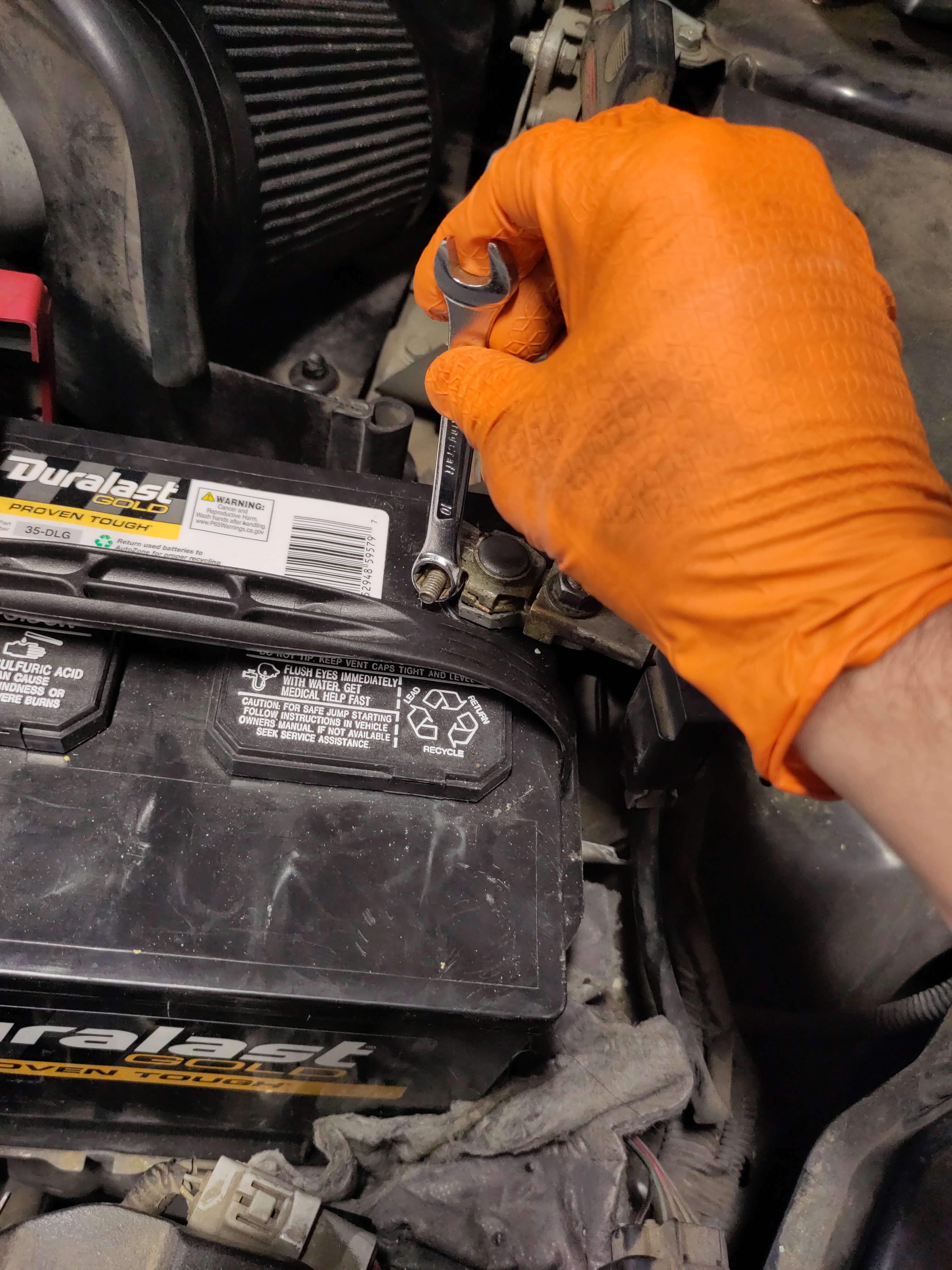
  1. Remove the Negative battery connection using a 10 mm wrench for safety purposes.
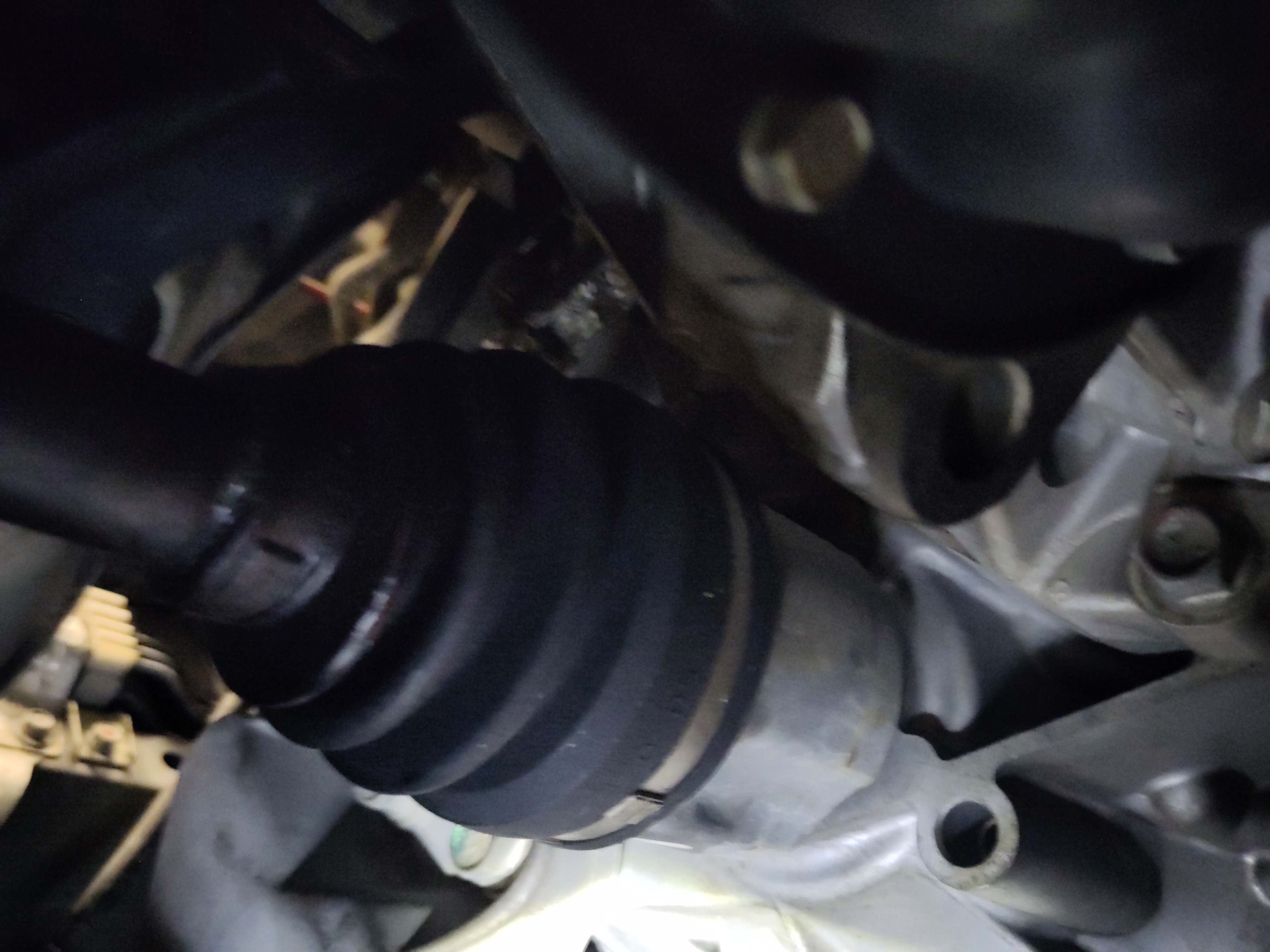
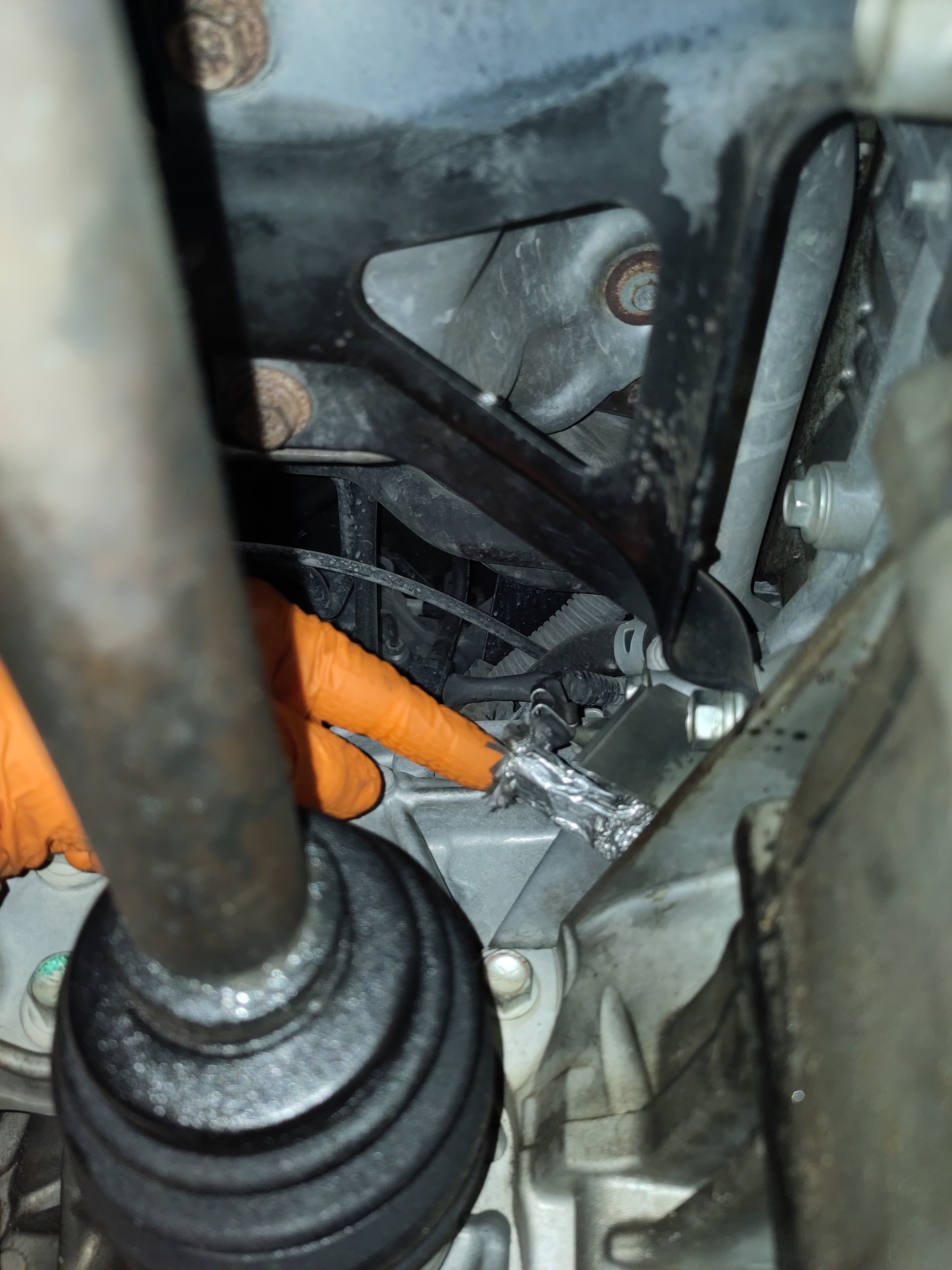
  2. You will need to remove the plastic covers from underneath to gain access to the Crankshaft position sensor. The bolts will 10 mm in size and there will be various push/pull pins to remove. The location of the Crankshaft positions is just above the CV axles. Take photos of the placement of the pins and bolts and store them in a magnetic pan if applicable or somewhere secure and wont get lost.
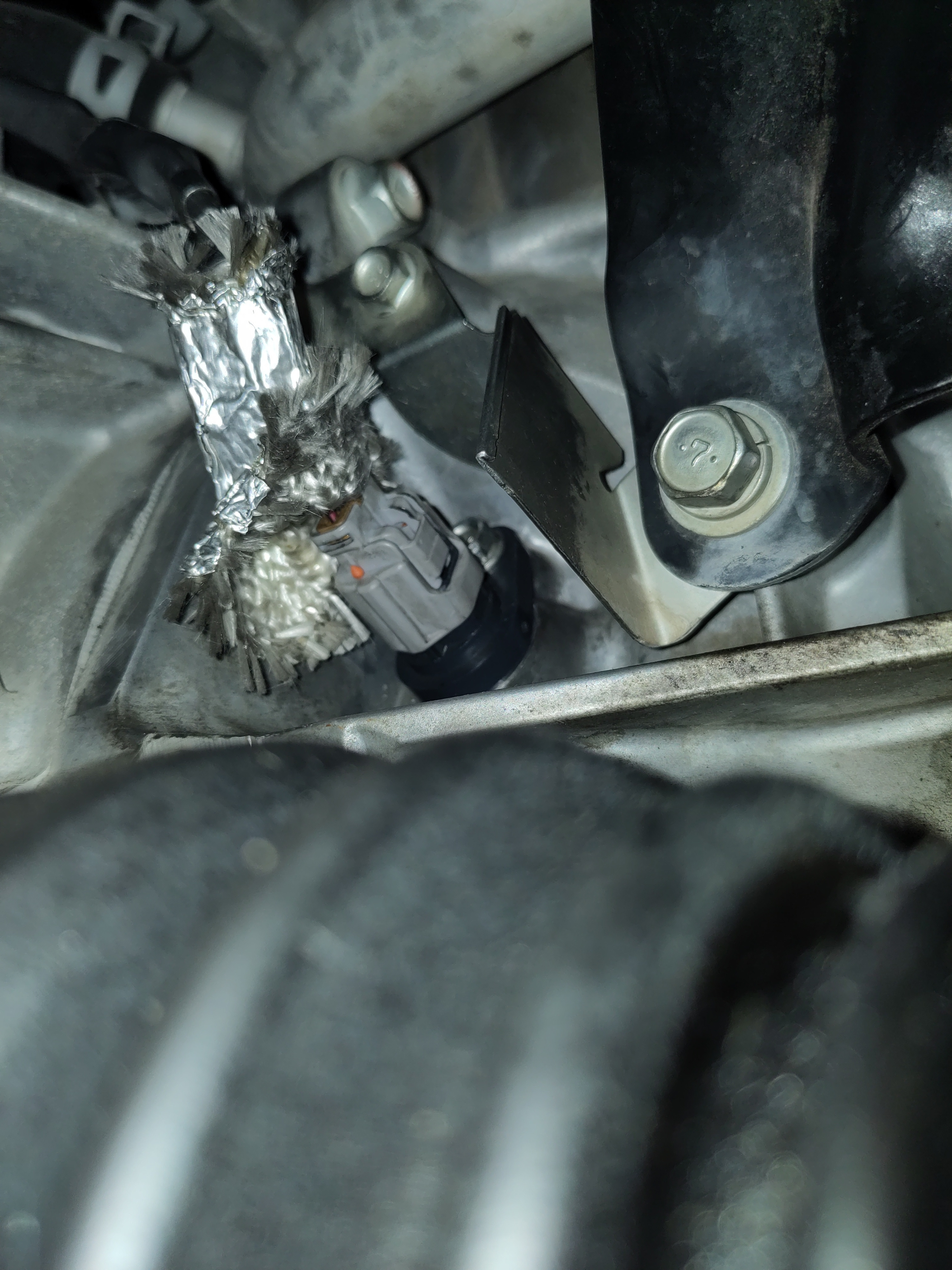
  3. Remove the electrical cover and pull out the electrical connection from the circuit.
  4. Use the 12mm with the extension with the 3/8" drive to remove the bolt. Stash the bolt in a magnetic pan if possible to refrain from losing the bolt.
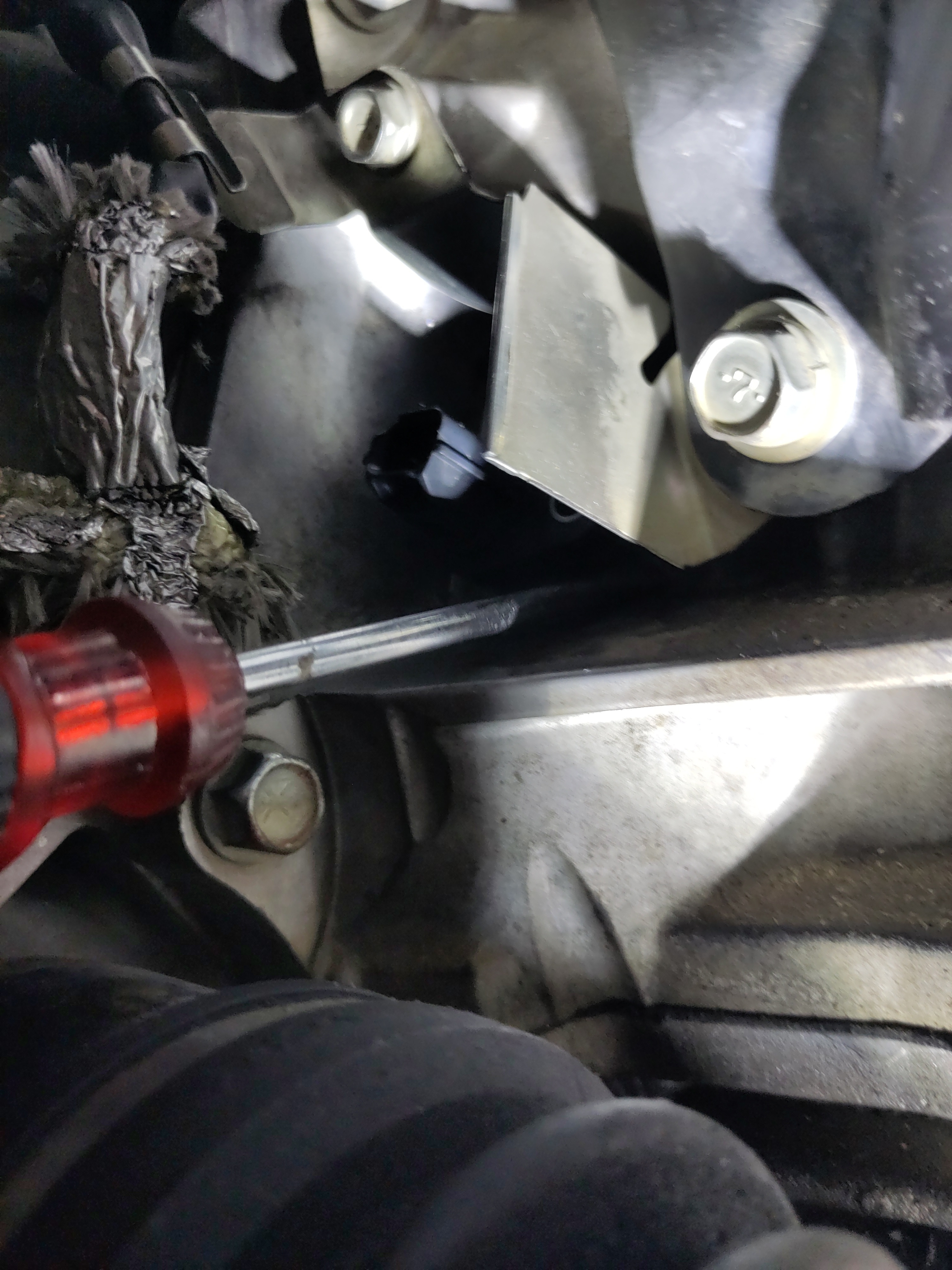
  5. The removal of the crankshaft position sensor could require some play. As in it may be beneficial to use your hand to rotate, wiggle while pulling up on the sensor. If necessitated, a flat head would be useful in prying up the sensor. It does have an o-ring and the connection may completely sealed to due a build up debris. Be determined to remove it, it will require some play. Once it is freed up, don’t remove it completely. Keep it in the hole until the new crankshaft positioning sensor it ready to be installed.

Preparation & Installation:

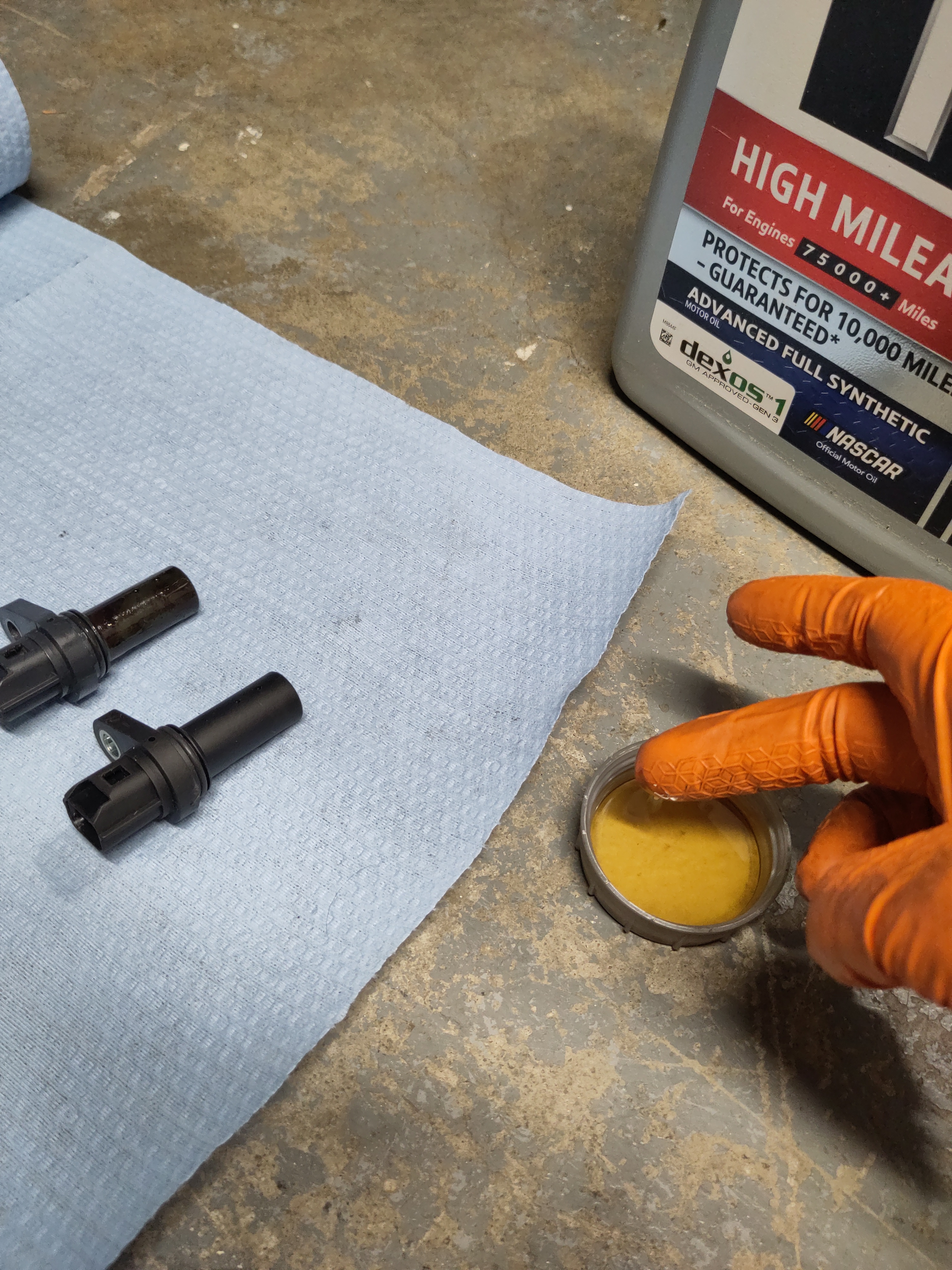
  1. Using the 0W-20 Engine Oil, pour small portion into the lid. Dip a Q-tip or your finger into the oil and lubricate the O-ring with the oil.
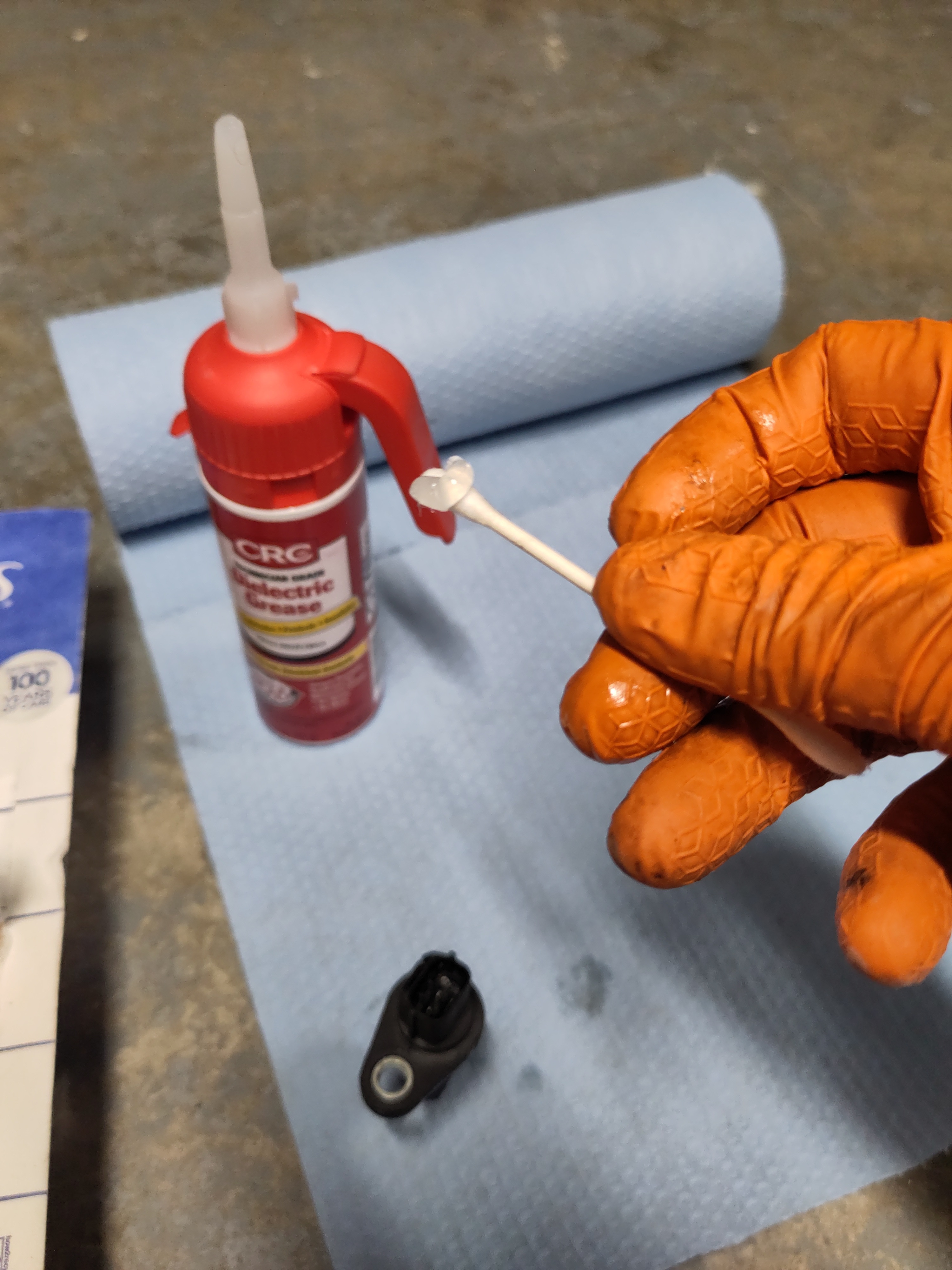
  2. Using the Dielectric Grease and a Q-tip, apply the grease to the three pins of the sensor in order to mitigate corrosion down the road.
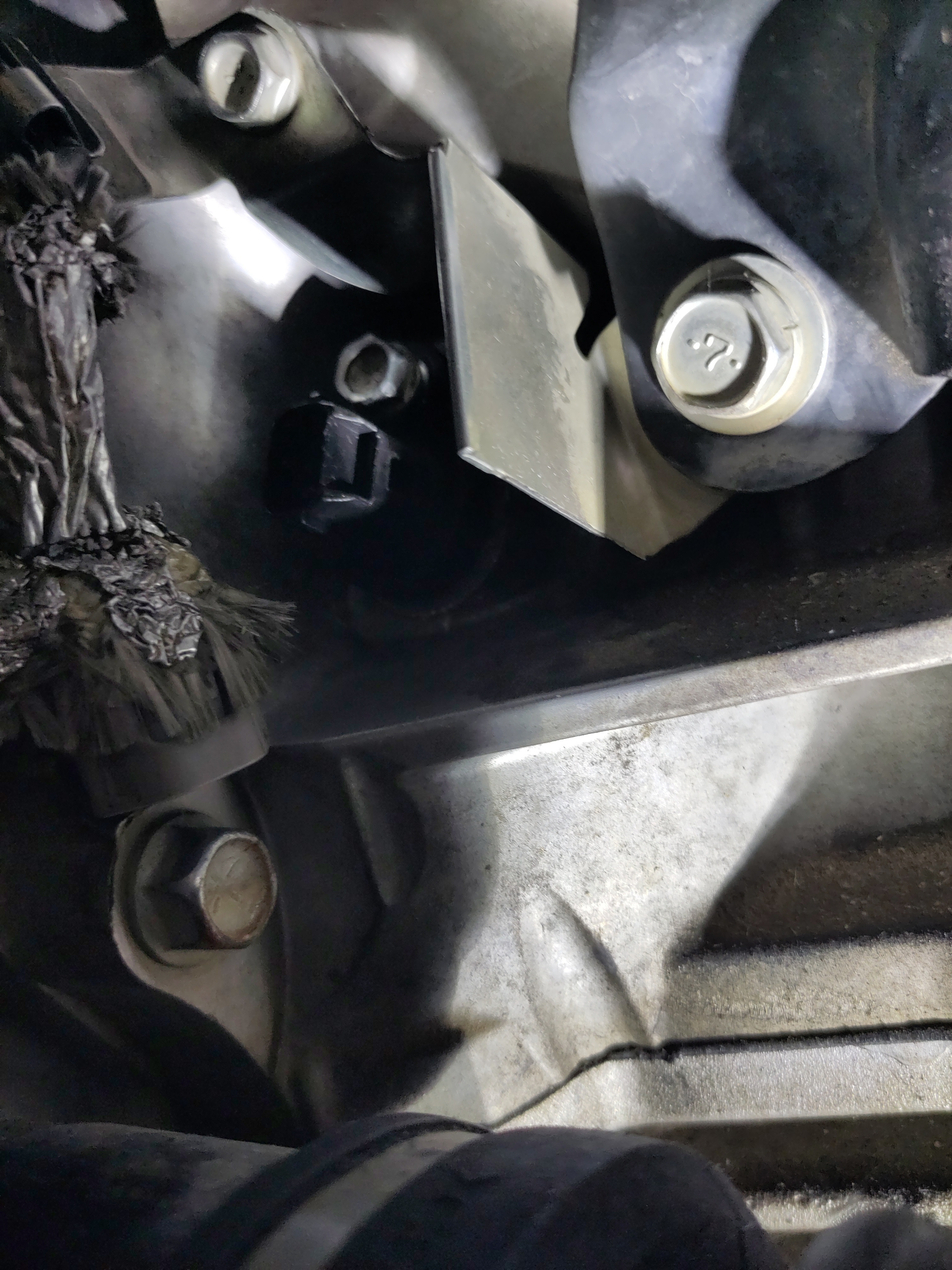
  3. Now get under the vehicle with the new sensor. Remove the old sensor, and wipe down the surrounding area. I found it easy to install the sensor wiggling it in there. I had the placement of the bolt hole of the sensor pointed to the right when in the engine hole then I rotated 90 degrees upwards to align the hole with the bolt hole.
  4. Next, hand tight the 12mm bolt initially. Use the 3/8" wrench with extension to tighten it down the rest of the way. Using the 3/8" torque wrench, torque the bolt down to 8 ft-lbs.
  5. Before reconnecting the electrical connection to the sensor. Make sure the cover is on wrinkled up, but it is flaring out and can be properly seated so it can keep the electrical connection and the surrounding area dry. Connect the electrical connection. There will be an audible clicking sound that will verify a solid connection. Ensure the cover is properly seated, and compress with your hand to ensure to takes form the electrical connection and the sensor.
  6. Secure the Plastic shields and install any necessary bolts and plastic pins. Refer to your photos as necessary.
  7. Re-connect the ground cable to the negative battery terminal.
  8. Put the vehicle back on the ground.

Testing and Trouble Shooting Sensors:

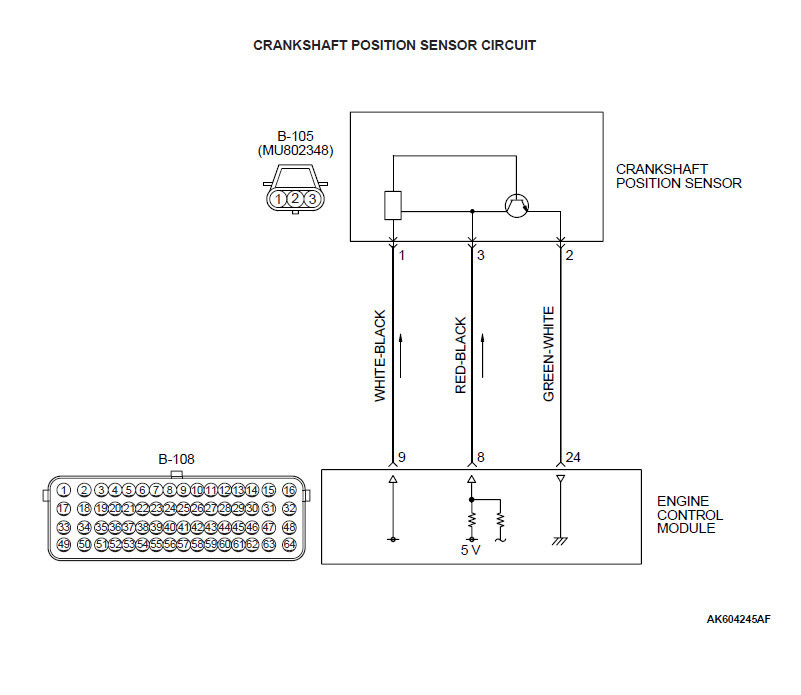
It is possible to test to see if the crankshaft positioning sensor is operating correctly by identification of the electrical pins. Using a multi-meter connect it to the positive and ground pins. The magnetic generate enough voltage by waving a metallic and magnetic tool in front of it. If a voltage reading is present on the multi-meter the crankshaft positioning sensor is functioning properly. No reading means it has failed or malfunctioning. The electrical schematic was found on an EVO forum that identifies the pins the show the electrical circuitry. Over time, an actual troubleshooting test will be updated on in this tutorial. Also, check the references. There is an adequate amount of information there to help write this tutorial, diagnose and replace the sensor on the Lancer.

References:

  1. https://autorepairszone.com/crankshaft-position-sensor/
  2. https://www.evolutionm.net/forums/lancer-how-tos-installations/707399-ckp-sensor-tests.html
  3. Video tutorial: https://www.youtube.com/watch?v=xuIHkCnkY7c